No items in cart
Buy 2 Get 1 Free
Add 3 products to the cart and get the cheapest for free at checkout.
Add 3 products to the cart and get the cheapest for free at checkout.

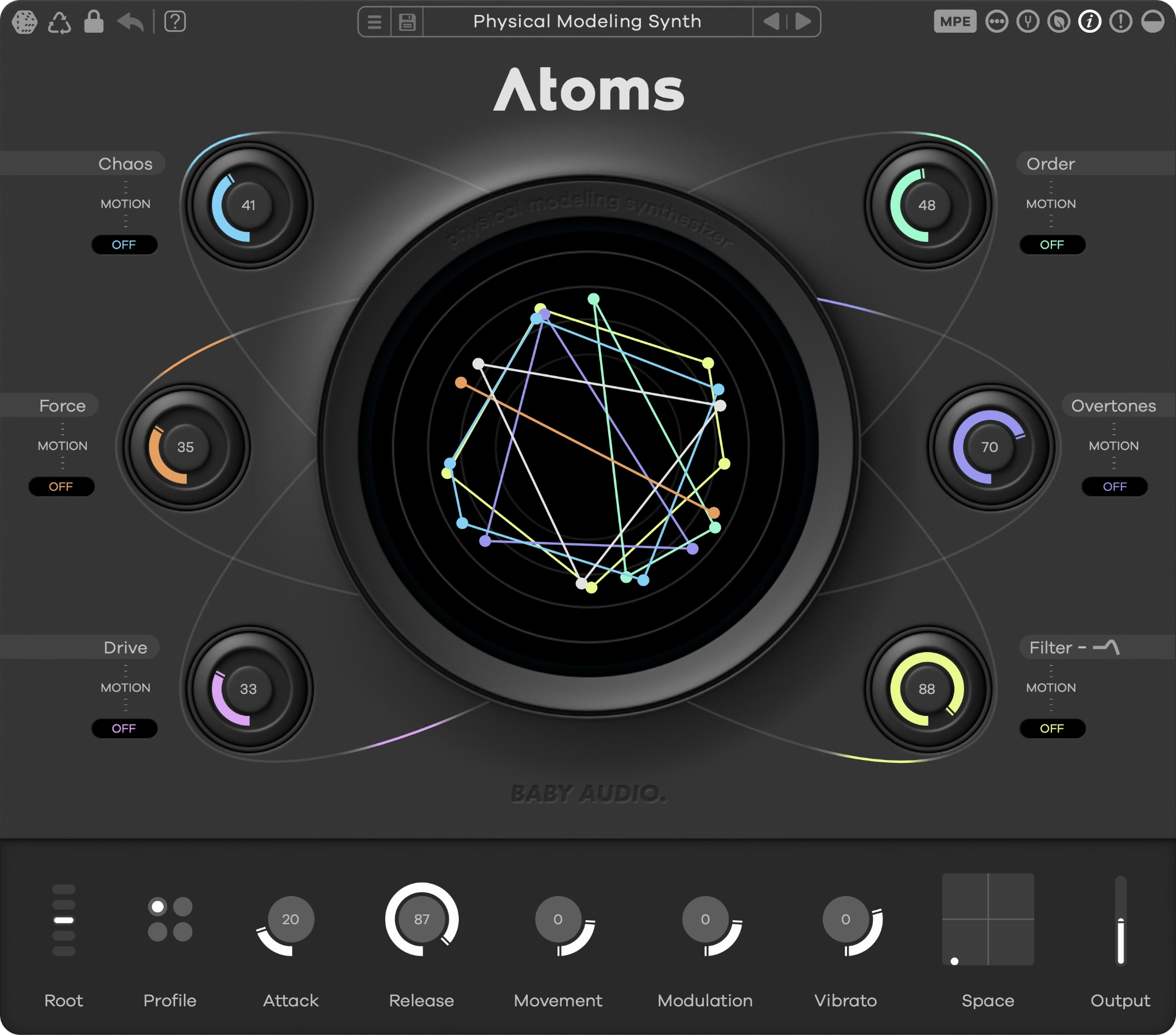
Atoms is a new type of synthesizer that is organic, yet otherworldly. Its unique sound is the result of cutting-edge techniques in physical modeling. Use Atoms to build eerie and unearthly textures that are buzzing with life.
Welcome to Atoms—a physical modeling synthesizer.
Atoms simulates a virtual structure of masses and springs that produces sound when bowed. Known as a mass-spring interaction network, this underlying physical model represents a new direction in synthesis.
The six main panel knobs control the characteristics of the physics simulation. Each one can be musically randomized, or automated within Atoms to create organic, evolving textures that sound and feel alive.
If you’d like a visual demonstration of how Atoms works, check out the tutorial video:
To go more in depth, watch our deep dive with lead developer Silvin Willemsen on the science that powers Atoms.
Physical modeling is an underexplored branch of synthesis in DAW-based music production.
Atoms is designed to harness the latest in this technology so you can discover new paradigms in sound design. At the same time, Atoms is simple enough to use that you can quickly create great sounds on the fly.
Here are a few ways to think about using Atoms in your workflow:
At its heart, Atoms is like a bowed string instrument created in a science lab. It's capable of everything from sci-fi ambience to naturalistic string sounds. Since Atoms is based on a virtual acoustic structure, you can think of it like an evolution of a traditional acoustic instrument.
Atoms’ built-in automation functions make it easy to create patches that shift and change over time. This is the key to the lifelike sense of action in Atoms’ most interesting patches.
Atoms’ musically calibrated randomization function accounts for the relationships between parameters as it generates new combinations. That means that unlike other randomizers, you’ll never get settings that don’t “work.”
One of the best ways to explore Atoms is by randomizing your way to a cool sound and then using the Recycle function to fine-tune different variations.

From left to right, the top menu provides the following options.
Randomize unlocked parameters to generate new presets from scratch. Atoms' smart randomization ensures that the results of randomization will be musical and useful.
Create a variation on the current preset by randomizing parameters in the vicinity of their current values.
Click to enter the randomization lock overlay and exclude parameters from randomization.
Undo the most recent parameter change.
Launch the quick start guide for tour of Atoms' key features and workflow.
Save load and browse through Atoms' available presets. To explore Expansions preset packs, visit https://babyaud.io/atoms-expansion-packs
Enable the hardware mod wheel or MPE aftertouch as a modulation source in the per-parameter Movement menus
Toggle between polyphonic and monophonic mode
Adjust Atoms' global tuning by +/- 50 cents.
Enable ECO mode for reduced resource usage. Stops all currently active voices when engaged and disables the Chaos parameter.
Engage or disengage hover-over tooltips
PANIC button stops all currently active voices.
Choose between Atoms default dark theme or alternative light theme.
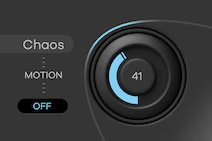
The Chaos control introduces nonlinear behavior in the mass-spring interaction system. With this control turned up, the virtual springs begin pushing against each other to create pitch glides and detuning effects.
Atoms’ mass-spring networks gradually lose high frequency energy as they decay—a physical process known as damping. Increase the Order control to introduce greater damping to the springs, acting like a low-pass filter.
[IMAGE: 03-atoms-order-knob.avif | alt: Atoms Order knob with motion menu]
A mass-spring interaction model needs a source of energy to generate sound through vibration. In Atoms, it’s a virtual bow. The Force parameter controls the pressure of the bow on the springs, adding noisiness and sharper harmonics as you increase it.
The Overtones parameter controls the position of Atoms’ virtual bow along the mass-spring network. Turn it up to bow closer to the boundary, producing bright overtones like those of a violin bowed close to the bridge.
Harmonic clipping with a waveshaping function that can bring out the complex harmonics Atoms creates.
A traditional low-pass filter with resonance for even more tone shaping. Can be automated for LFO filter sweeps.
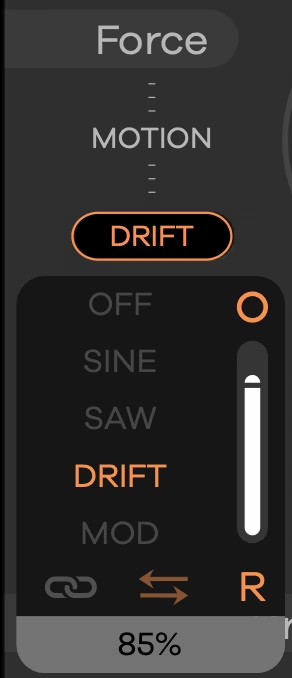
Atoms’ automation system is how you introduce motion to its six main parameters.
Enable automation by selecting one of the four automation modes:
Click the chain icon to enable synchronization to the host BPM.
Invert the direction of the automation sweep.
Choose between three distinct LFO modes:
Sets the speed of the automation in Hz or in Bars/Beats when Host sync is enabled.
Click the circle to copy automation settings from one parameter to another.

From left to right, the preset bar gives you the following options:
Atoms’ preset browser gives you easy access to the best patches from notable producers and sound designers:

Here are the top panel functions of the preset browser from left to right:
Preset packs will appear in the left column of the browser window.

The bottom section of Atoms contains essential functions for tone shaping and the behavior of the mass-spring system.
Atoms can handle everything from powerful basslines to growling leads and airy pads. The root control lets you quickly set the octave range to transpose up and down +/- 24 semitones.
Atoms’ four unique profiles give you different arrangements of its mass-spring network for even more sonic range. Each profile has its own character to discover, from pristine detail to lo-fi goodness.
Atoms' envelope shape comes from the physics of its mass-spring model.
The attack control varies the onset of the virtual bow from abrupt to gradual, letting you dial in everything from gentle pads to aggressive plucks.
The release control affects damping in the mass-spring network. This allows you to create everything from short decays to infinite sustain as if damping from air and friction did not exist.
The movement control alters the depth and speed of the virtual bowing action to produce a subtle undulating motion.
Atoms’ mass-spring interaction model can create interesting variations on classic modulation effects.
The modulation control varies the “listening position” on the springs to create a unique chorus effect.
The vibrato control varies the springs’ stiffness to create unique pitch modulation.
A little context can go a long way when it comes to synth sounds. Space is Atoms’ built-in reverb that lets you add ambience with simple size and mix controls on an X/Y pad.
Adjust Atoms' global output.
Exploring Atoms with hands-on control can unlock new creative ideas. MIDI mapping is expected to be handled via a DAW like Ableton Live or Bitwig Studio to ensure utmost stability.
Most modern DAWs have a built-in MIDI learn/MIDI link functionality that will allow you to assign hardware controllers to Atoms’ parameters. For specific setup instructions, please refer to your DAW’s manual.
Atoms comes loaded with several shortcuts to speed up your workflow.
Instructions are emailed to you directly after your purchase, however you can always go to www.babyaud.io/account to view your license keys and activate your software. After downloading, unzip the file and select either Mac or PC depending on your system.
Activate your software by entering the license key delivered to your account when you bought Atoms. Serial keys are entered in the ‘trial mode’ open screen. If you have any problems activating, please email support@babyaud.io.
If you’re running Atoms in trial mode, please note that the trial will output 5 seconds of silence every 60 seconds. To buy the full version, go to www.babyaud.io/atoms
Please read our End User License Agreement here: www.babyaud.io/eula
We hope you’ll enjoy Atoms and use it in your own way to achieve things we had never even intended for it to do. If you run into any issues or have questions along the way, you can always contact us at support@babyaud.io – enjoy the journey!


.png)