No items in cart
Buy 2 Get 1 Free
Add 3 products to the cart and get the cheapest for free at checkout.
Add 3 products to the cart and get the cheapest for free at checkout.


BA-1 is based on a portable 1980s synth with a toylike appearance and a gritty sound. Despite its small size, it left a big mark on music history, while still flying somewhat under the hype radar. The original has been used as a secret weapon for bubbly synth textures by some of Sweden’s most successful pop producers of the past two decades.
It was also a staple of 1990s digital dancehall and beloved by the indietronica scene for its raw lo-fi quality.
The original hardware has never been properly captured in software form. So for our first ever synth, we started there. And added a whole lot more!
In keeping with our motto “it’s an evolution, not an emulation”, we modeled the hardware with the greatest possible accuracy, before carefully upgrading it with new and useful features. A second analog-modeled oscillator, FM, polyphony, and more, help to vastly expand the sonic palette of the original.
All while keeping its signature sound unspoiled. Additionally, BA-1 lets you drain the battery, bend the circuits, use the built-in speaker, etc. for an authentic lo-fi aesthetic that is normally hard to get with software.
BA-1 is simple, but surprisingly tweakable. We’ve put great effort into tuning all parameters to be in the perfect sweet spot. This results in a fun and rewarding programming workflow where you’ll create new patches on repeat.
We hope you’ll have fun using BA-1!
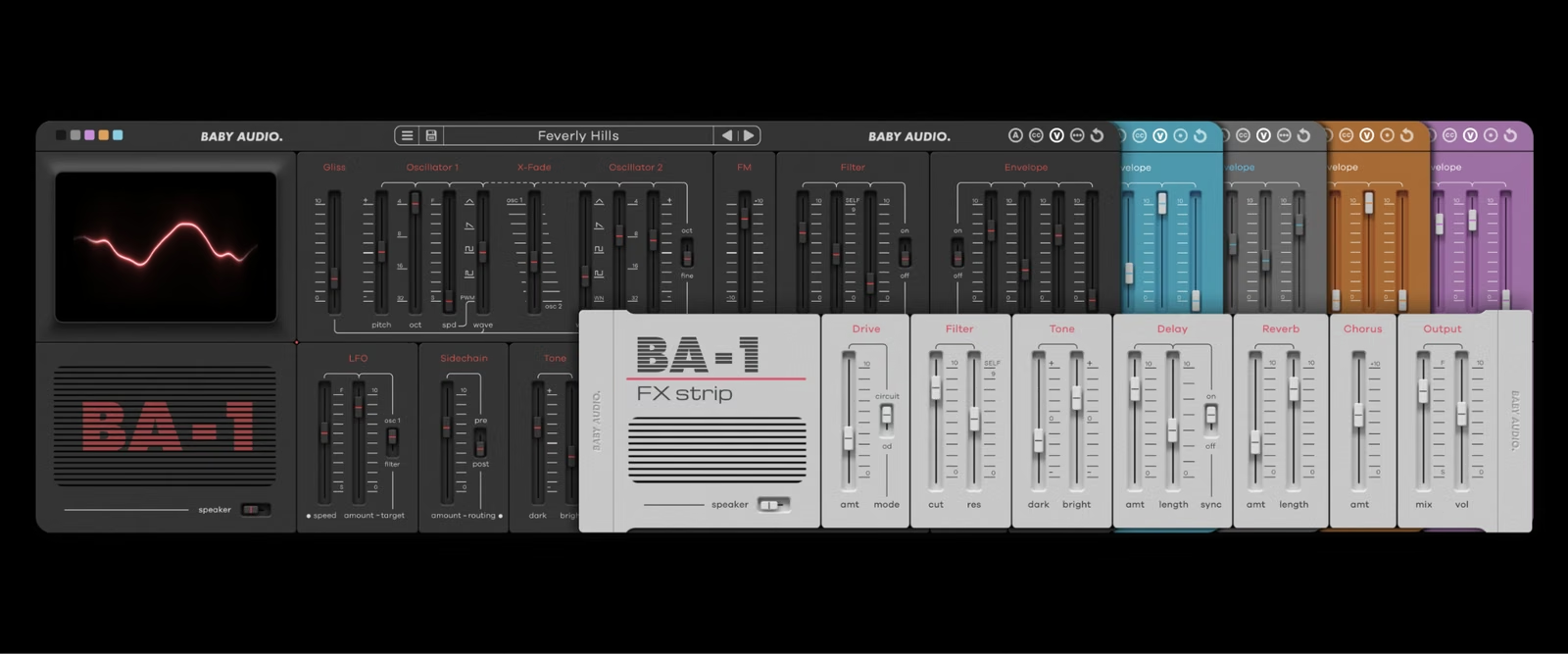
Before we go into BA-1’s full feature set, here is a quick rundown of what’s new in the latest v1.5, released March 2024. You can also see the full overview of the updated features in the demo video.
Arpeggiators were an essential ingredient in the synth sounds of the 80s. For BA-1 v1.5, we’ve added a classic hardware-style arpeggiator with three modes (up, down, up/down) and a three octave range.
BA-1 users have been asking for a standalone edition of the instrument’s distinctive effects section since the early days. Here it is!
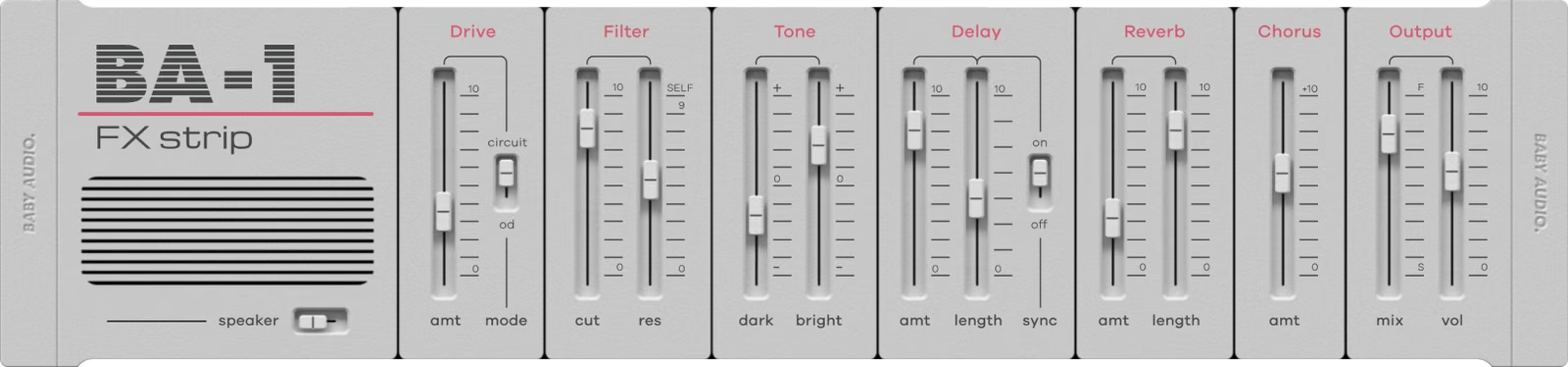
All downloads of BA-1 v1.5 include the standalone BA-1 Retro FX strip as a separate effect plugin. Use it to add BA-1’s beloved lo-fi and 80s-flavored drive, filter, chorus, delay and reverb to any track in your session.
The colored dots between BA-1’s segments reveal additional synth parameters when clicked.
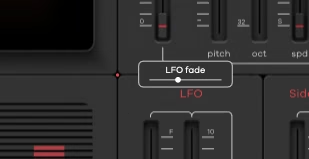
LFO Fade adds ramp time to the modulation wave that gradually (or abruptly) fades up to its set frequency for a more unpredictable effect.
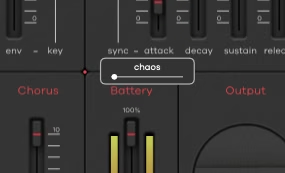
Chaos introduces nonlinear behavior in the reverb and chorus algorithms for pitch glides and detuning effects.
BA-1’s preset manager has a vastly improved workflow in v1.5. Search presets by name, filter by pack, or mark patches with color-coded tags to remember them.
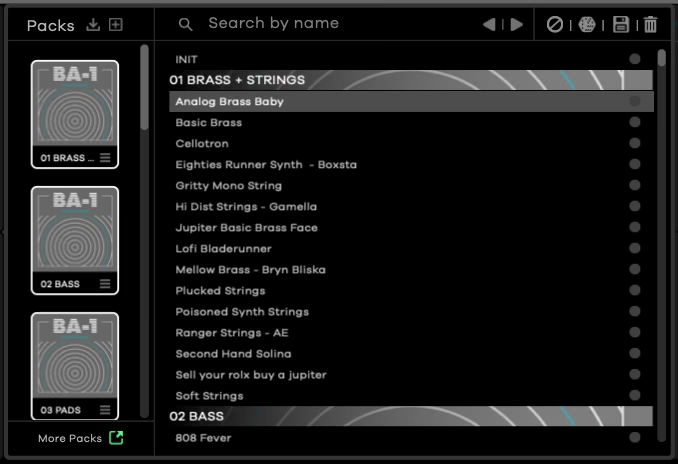
You can easily import packs, create your own or browse the available BA-1 Expansions to add more sounds to your synth.
Freshen up BA-1’s look with the all-new black and crimson UI theme.
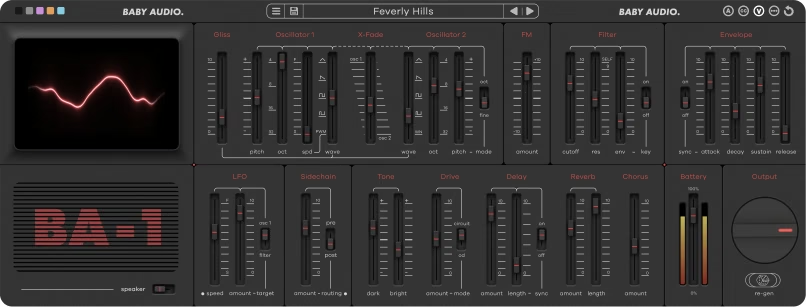
Meticulously modeled to offer the raw grit and drift that made the original hardware so beloved. The triangle and PWM waveforms are particular highlights if you want a classic 80s dub sound.
A second oscillator has been added in BA-1 – compared to the original – for more flexible sound design options.
FM adds complexity and depth to the classic analog subtractive architecture, giving you more sound design options. Dial in the FM oscillator either an octave above or below Oscillator 1 to add some plasticky 80s texture.
Analog-modeled and nicely rounded 24 dB low-pass filter. The resonance offers a gritty bite and will start to self-oscillate when pushed towards the 95–100% range – just like the real hardware.
Lets you shape the sound with the same quirky side effects as in the original hardware. Additionally, we’ve added the option to host-sync the attack time to your DAW’s BPM. This allows for sweeping sounds that rise in perfect sync with your music.
A simple and intuitive LFO section that is easy to master and hard to mess up – like the original synth. We’ve added the possibility to sync the LFO to the host BPM for more modern applications.
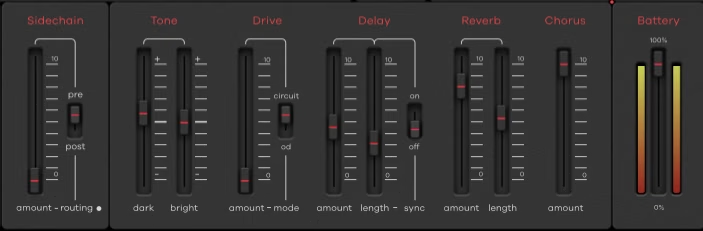
Inspired by cheap 1980s rack gear and guitar pedals, the Tone block offers two shelving filters to easily make BA-1’s character darker or brighter. The Drive control adds gritty analog-modeled distortion with two modes: Circuit models the effect of circuit bending the original hardware, while OD models an 80s overdrive pedal.
The grainy delay, reverb and chorus combo is THE sound of the 1980s! We’ve recreated this epic FX combo in BA-1 – modeled after budget rack hardware from the era. Engage all three effects at once and you’ll have a hard time programming a dull sounding patch.
Synths sound better when they ‘move with the mix’. That’s what the Sidechain feature is for. It can work in External or Internal mode.
By default, Sidechain is set to Internal and will create an automatic 4/4 ducking pattern synced to your host tempo. This can be dialed in to taste. Click the Routing label to switch to External mode and duck BA-1 when a sidechain input is present. Place the sidechain either before or after the FX section by clicking the routing switch.
The original synth was portable and could be powered by batteries. But they never lasted long – and weird sonic artifacts were introduced as the power deteriorated. We’ve modeled this behavior and exaggerated it slightly for a better effect. Drain the battery to achieve pitch fluctuations, noise and distortion the further down you go.
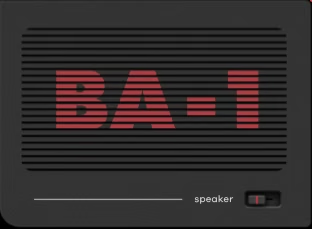
Sometimes a mix needs some ‘moving air’ to come alive. While the original hardware’s speaker was by no means high quality, it had a quirky and pleasant lo-fi vibe. We’ve modeled it in all its rough glory. When using BA-1, you can click the speaker button to switch from line to speaker output.
Create new and unique patches with every click. Unlike a regular randomizer, Re-Gen hosts a smart algorithm, calibrated to come up with usable and musical patches. When you’re stuck for inspiration, click Re-Gen and let it take you in a new direction.
After long hours in the studio it can be nice to see something new. BA-1 lets you switch between gray, blue, purple, orange and the new black color mode to keep things fresh. Click on the colored squares to preview the options.
Switch between Mono and Poly mode (the original hardware was mono only). Turn Velocity Sensitivity on or off. Open the MIDI Settings. Or reset BA-1 to its initial state.
The plugin window is fully resizable (click+drag the bottom right icon).
BA-1 comes with a ton of new musical inspiration in the form of 500+ carefully crafted presets. This includes 4 genre-based expansion packs created by top sound designers in the industry. Whether you’re into synthwave, modern pop, lo-fi hip hop or 80s / 90s nostalgia, we’ve got you covered.

From left to right, the preset bar gives you the following options:
BA-1’s preset browser gives you easy access to the best patches from notable producers and sound designers:

Here are the top panel functions of the preset browser from left to right:
Preset packs will appear in the left column of the browser window.
BA-1 comes loaded with several shortcuts to speed up your workflow.
Download instructions are emailed to you right after your purchase, however you can always go to www.babyaud.io/account for the latest software updates. After downloading, unzip the file and select either Mac or PC depending on your system.
If you have an active subscription to the Plugin Collection Plan, BA-1 will appear in your Baby Audio Manager app for download.
Make sure your machine is registered, get the software by clicking ‘Download’ and follow the instructions to install.
Activate your software by entering the license key that was provided in your account when you bought BA-1. Serial keys are entered in the ‘trial mode’ open screen. If you have any problems activating, please email support@babyaud.io.
If you’re running BA-1 in trial mode, please note that the trial will output 5 seconds of silence every 60 seconds. To buy the full version, go to: https://babyaud.io/ba-1
Please read our End User License Agreement here: www.babyaud.io/eula
We hope you’ll enjoy BA-1 and use it in your own way to achieve things we had never even intended for it to do. If you run into any issues or have questions along the way, you can always contact us at support@babyaud.io – enjoy the journey!


.png)