No items in cart
Buy 2 Get 1 Free
Add 3 products to the cart and get the cheapest for free at checkout.
Add 3 products to the cart and get the cheapest for free at checkout.

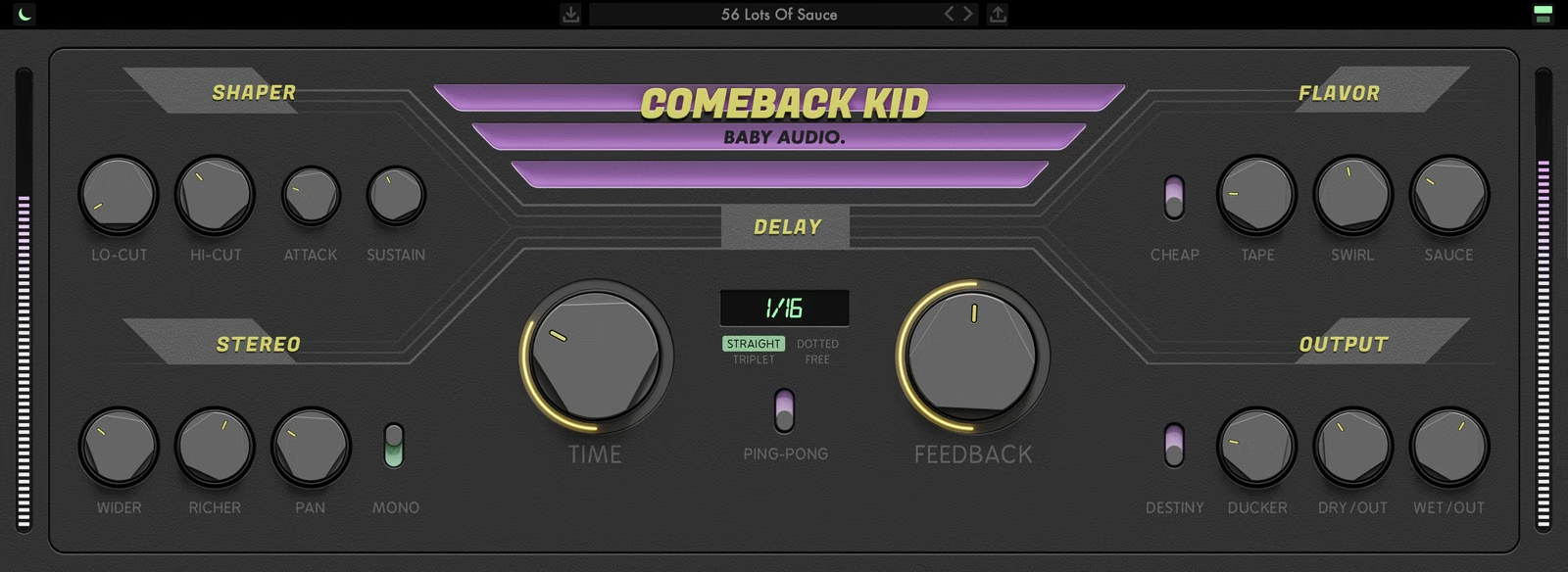
At Baby Audio we’re delay addicts! So we asked ourselves: Could we take one of our favorite mix tools and give it an upgrade?
We set out to develop a more inspiring delay plugin — loaded with analog vibes.
The effect layout is based on the creative workflow of hardware. With no sub-menus or hidden features, everything you need is right in front of you.
So grab the knobs and start tweaking your delays to the next level!
Welcome to Comeback Kid—a delay plugin with vintage-inspired character.
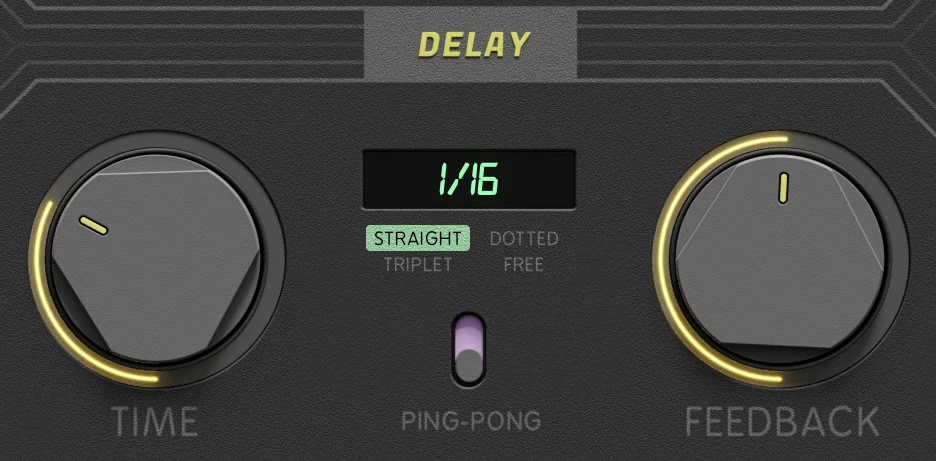
To get started, insert Comeback Kid on any track or send. In the central Delay section, choose a BPM-synced mode (Straight, Dotted or Triplet) or Free mode to set the delay time in milliseconds, then set the amount of repeats with Feedback. Engage Ping-Pong to bounce the repeats between the left and right channels.
Use the Shaper section to tame the delays with the Lo-Cut and Hi-Cut filters and sculpt their transients with Attack and Sustain.
Add character with the Flavor section: Cheap for vintage digital grit, Tape for warm saturation, Swirl for phasing and Sauce for a touch of reverb.
Shape the stereo image with Wider, Richer, Pan and Mono, then use the Output section to balance the dry and wet signals. Engage the Ducker to keep the delays out of the way of the dry signal.
Set a synced delay on a vocal and engage the Ducker so the repeats stay out of the way while the singer is performing, then bloom in the gaps between phrases. Use the Lo-Cut and Hi-Cut filters to keep the repeats from cluttering the mix.
Use Cheap’s 11-bit signal path for the gritty character of vintage digital delays, or Tape for warm, saturated analog-style repeats. Combine them for a delay that sounds like it came from an old rack unit.
Engage Ping-Pong and add Wider and Richer for delays that spread across the stereo field through left/right time and pitch variations. Use Pan to place the repeats exactly where you want them.
Turn up Feedback, add Swirl for movement and Sauce for reverb to create lush, evolving delay trails for pads, guitars and sound design.
Double click the Comeback Kid logo to disable the delay engine and use the Shaper, Flavor and Stereo sections to process your dry signal like a multi-FX color box.
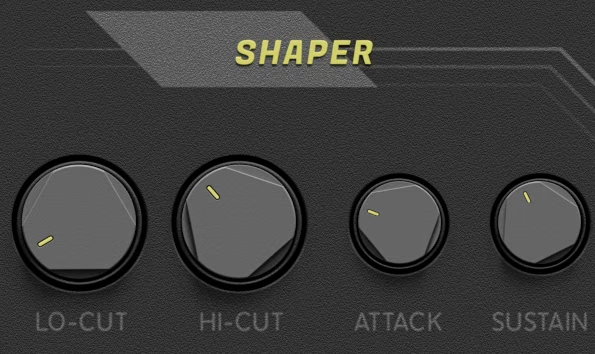
Tame your delays with analog-modeled filters.
Sculpt your delays with flexible transient designers.
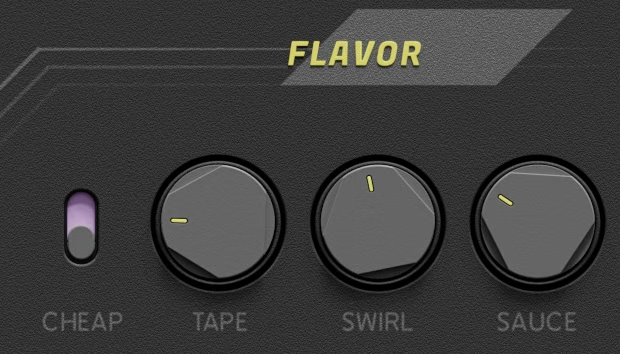
Degrade your delays with a custom 11-bit signal path — modeled after vintage digital units.
Warm up your delays with analog-style tape saturation.
Add movement to your delays with an analog-modeled phasing effect.
Add space to your delays with a touch of algorithmic reverb.
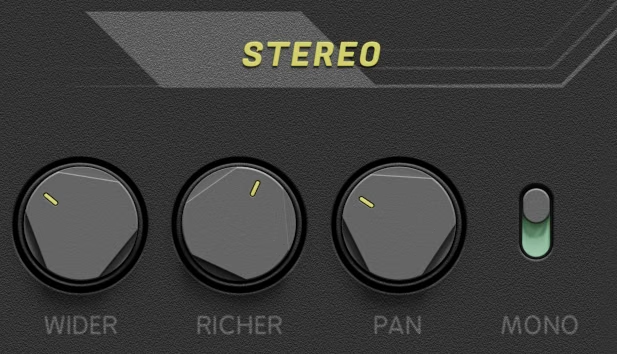
Widen your delays through L/R time variations.
Add dimension to your delays through L/R pitch variations.
Place your delays in the stereo image.
Turn your delays into mono.
[IMAGE: 07-comeback-kid-output.avif | alt: Comeback Kid Output section with Destiny, Ducker, Dry/Out and Wet/Out]
Lower your delays when the dry signal is playing — for a cleaner, more modern sound.
Leave your delays to destiny by enabling a subtle randomization algorithm.
You can set your delays down to 0.01 ms precision when in Free mode. Do so by double-clicking the numerical display and typing in the delay time you need.
Double click the Comeback Kid logo to disable the delay engine. This allows you to use the plugin’s flavoring tools on your dry signal — like a regular multi-FX / color box.
To those who work long hours in the studio, we created an alternative perspective to keep the eyes intrigued. Switch between day view and night view by clicking the top-left symbol.
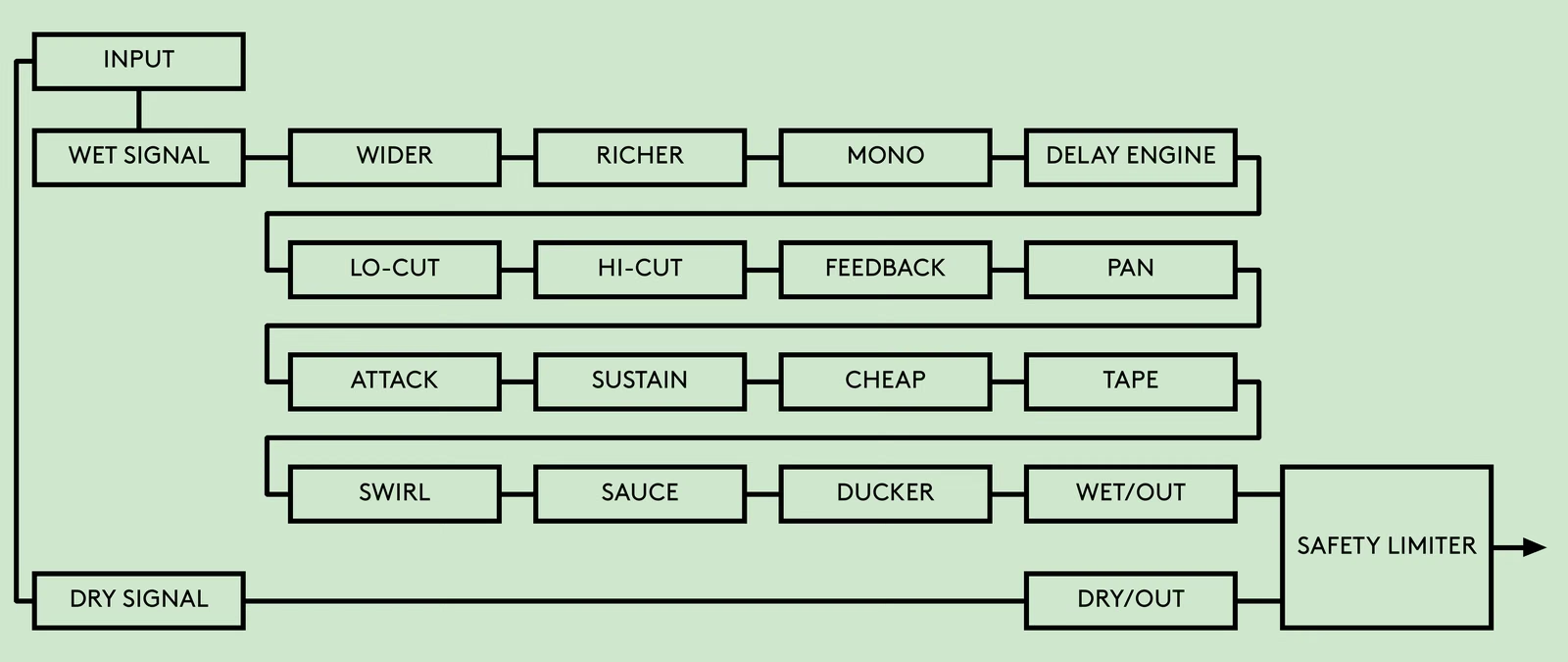
The input is split into a wet and a dry signal. The wet signal passes through Wider, Richer, Mono, the Delay Engine, Lo-Cut, Hi-Cut, Feedback, Pan, Attack, Sustain, Cheap, Tape, Swirl, Sauce and the Ducker to Wet/Out. The dry signal goes straight to Dry/Out. Both outputs then pass through a safety limiter.
Comeback Kid comes loaded with 61 presets created by friends of Baby Audio. The presets are designed by Mick Schultz (Grammy-nominated producer for Rihanna, Kelly Clarkson, Jeremih) and Anthony Saffery (Billboard #1 producer for Portugal. The Man, Dirty Vegas, Cornershop).
For optimal results with the presets, please gain stage the incoming signal to around -18 dB.
Download instructions are emailed to you right after your purchase, however you can always go to www.babyaud.io/account for the latest software updates. After downloading, unzip the file and select either Mac or PC depending on your system.
If you have an active subscription to the Plugin Collection Plan, Comeback Kid will appear in your Baby Audio Manager app for download.
Make sure your machine is registered, get the software by clicking ‘Download’ and follow the instructions to install.
Activate your software by entering the license key that was provided in your account when you bought Comeback Kid. Serial keys are entered in the ‘trial mode’ open screen. If you have any problems activating, please email support@babyaud.io.
If you’re running Comeback Kid in trial mode, please note that the trial will output 5 seconds of silence every 60 seconds. To buy the full version, go to: https://babyaud.io/comeback-kid-delay-plugin
Please read our End User License Agreement here: babyaud.io/eula
Have fun using Comeback Kid! If you run into any issues or have questions along the way, you can always contact us at support@babyaud.io.


.png)