No items in cart
Buy 2 Get 1 Free
Add 3 products to the cart and get the cheapest for free at checkout.
Add 3 products to the cart and get the cheapest for free at checkout.

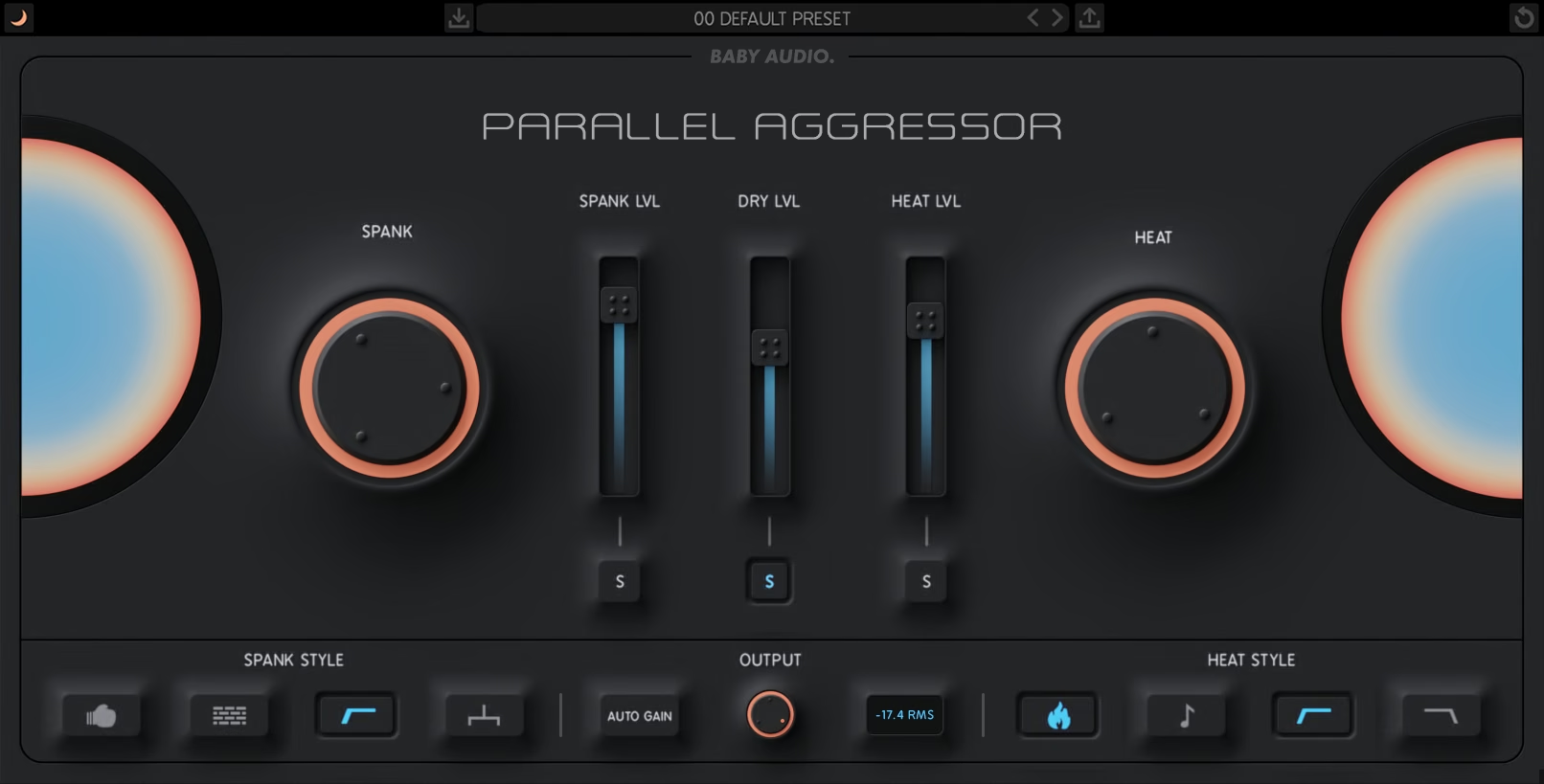
Parallel processing plays a fundamental part in getting a “big” mix sound. By processing multiple copies of the same track and blending them together, you can add more punch to a mix — in a more natural-sounding way.
It’s like teamwork: Multiple copies of the same track – each focused on doing one specific job – can achieve more together than a single copy being processed to death on its own.
Parallel Aggressor is based on this simple concept. The plugin splits your audio into three equal parts:
Work the duplicates hard! Then mix all three signals to squeeze every drop of sonic juice out of your track.
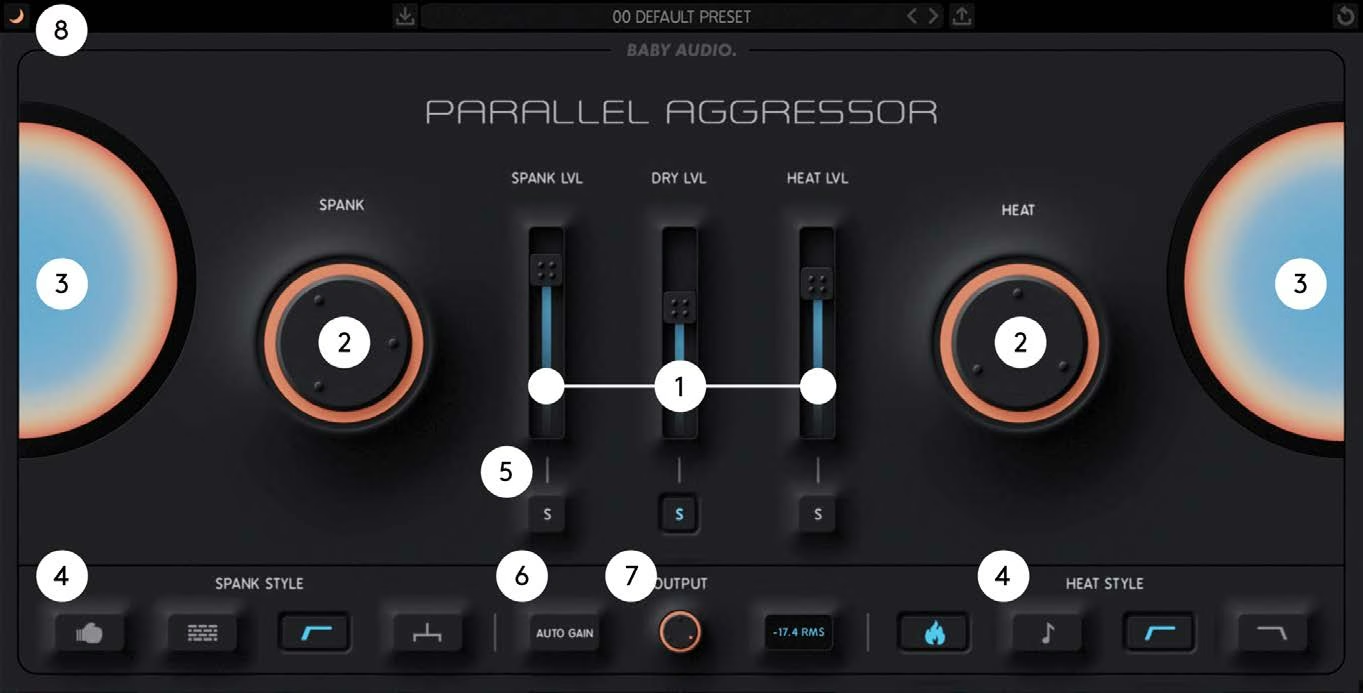
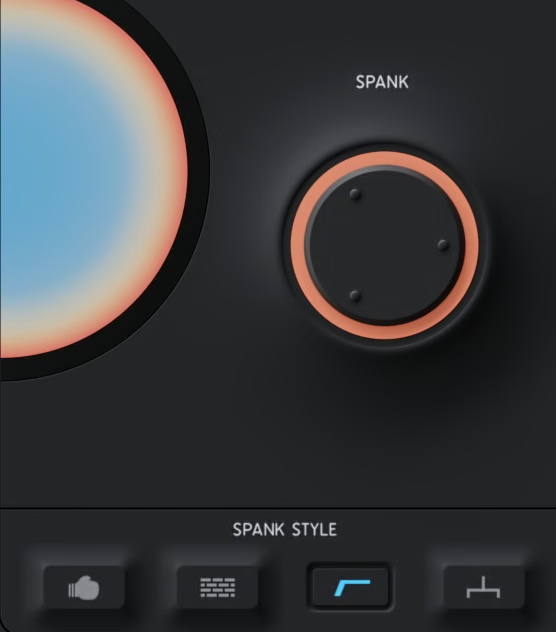
Spank offers an addictively punchy compression algorithm, designed to adapt to your audio signal. It begins where our I Heart NY plugin ended, with improvements in sound quality, signal detection and flexibility.
Spank style buttons:
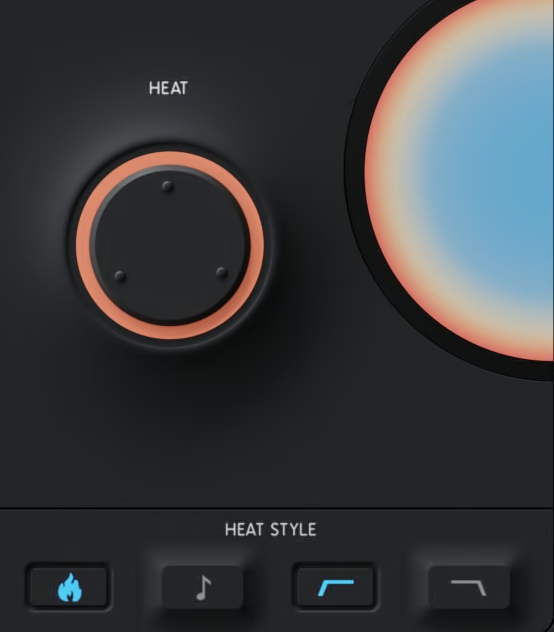
Heat is a warm, analog-modeled saturation algorithm with an aggressive bite. It is based on our tape saturator from Super VHS, but has been rewritten and optimized for the Parallel Aggressor release.
Heat style buttons:
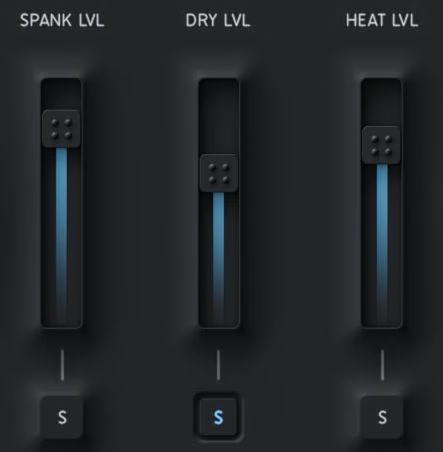
Balance the three parallel signals with the Spank Lvl, Dry Lvl and Heat Lvl faders. The solo buttons let you monitor each parallel signal individually.
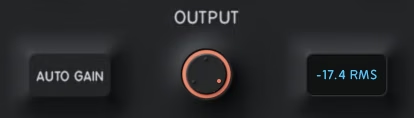
Auto Gain matches the combined output of the plugin’s three internal signals to the level of the incoming signal (approximately). Disengage anytime.
Sets the global output level (post Auto Gain).
Click the Baby Audio logo to put the plugin into bypass mode.
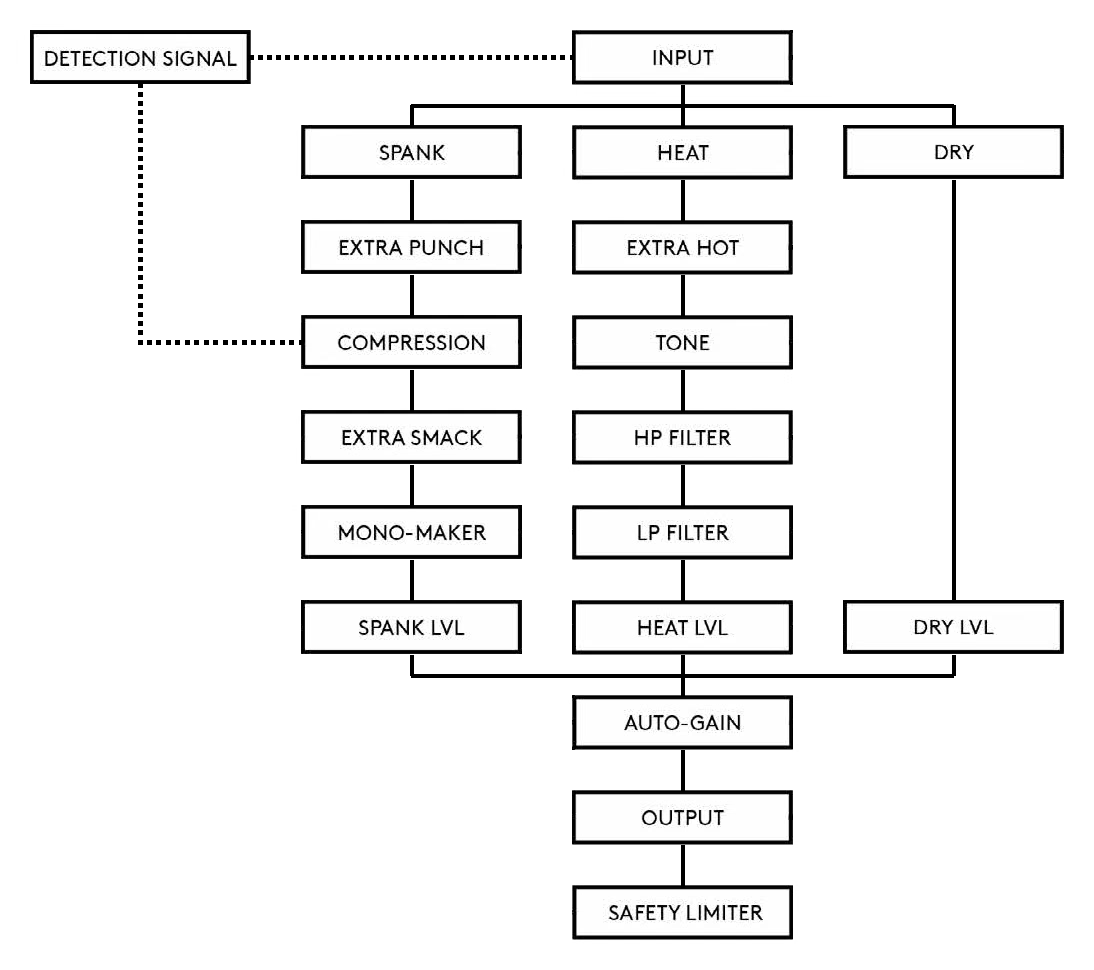
The input is split into three parallel lanes. The Spank lane runs through Extra Punch, Compression (fed by a separate detection signal), Extra Smack, the Mono-Maker and Spank Lvl. The Heat lane runs through Extra Hot, Tone, the HP and LP filters and Heat Lvl. The Dry lane goes straight to Dry Lvl. All three lanes merge at Auto-Gain, then pass through Output and a safety limiter.
Parallel Aggressor comes loaded with 25 presets created by Baby Audio and some friends of the house:
Download instructions are emailed to you right after your purchase, however you can always go to www.babyaud.io/account for the latest software updates. After downloading, unzip the file and select either Mac or PC depending on your system.
If you have an active subscription to the Plugin Collection Plan, Parallel Aggressor will appear in your Baby Audio Manager app for download.
Make sure your machine is registered, get the software by clicking ‘Download’ and follow the instructions to install.
Activate your software by entering the license key that was provided in your account when you bought Parallel Aggressor. Serial keys are entered in the ‘trial mode’ open screen. If you have any problems activating, please email support@babyaud.io.
If you’re running Parallel Aggressor in trial mode, please note that the trial will output 5 seconds of silence every 60 seconds. To buy the full version, go to: https://babyaud.io/parallel-aggressor-plugin
Please read our End User License Agreement here: babyaud.io/eula
Have fun using Parallel Aggressor! If you run into any issues or have questions along the way, you can always contact us at support@babyaud.io.


.png)