No items in cart
Buy 2 Get 1 Free
Add 3 products to the cart and get the cheapest for free at checkout.
Add 3 products to the cart and get the cheapest for free at checkout.

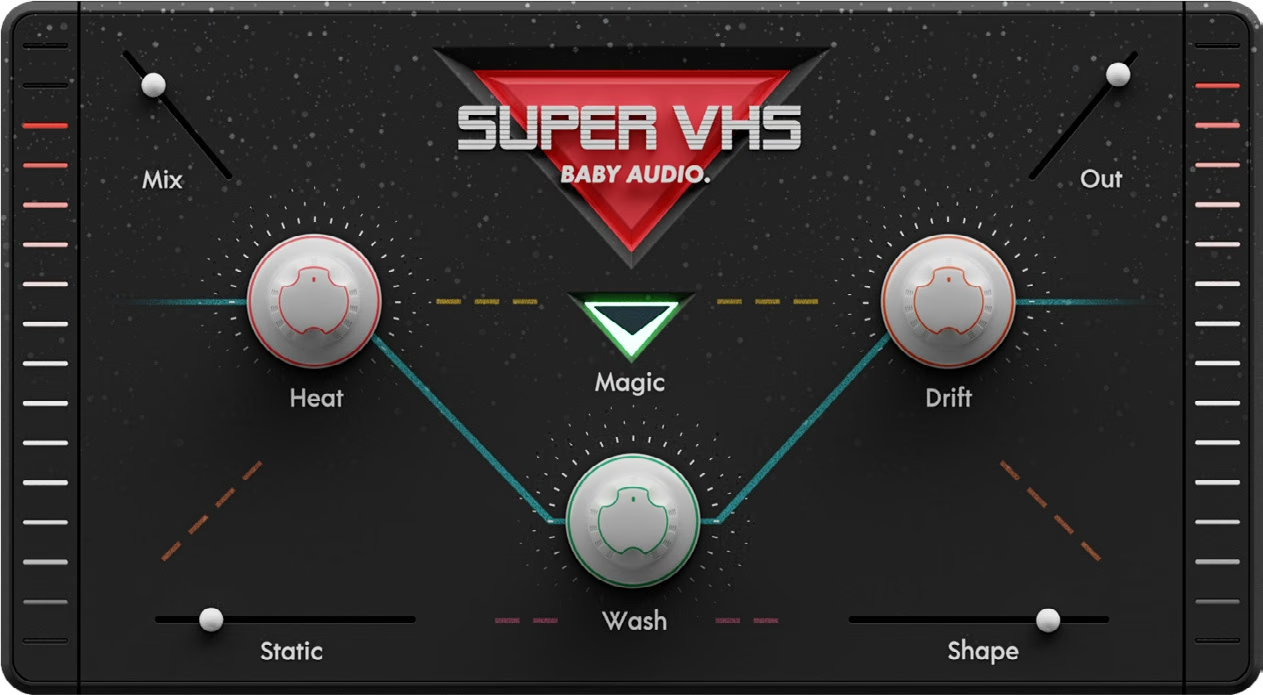
As kids of the 80s we have always been drawn to the sound of slightly out-of-tune synths, warm tape saturation, gritty samples and grainy reverbs. So we set out on a mission to capture the lofi spirit of our favorite decade — and bring it into a new decade.
Meet a complex algorithm with eight simple knobs. We named it ‘Super’ for its powers and ‘VHS’ for its sound.
Welcome to Super VHS—a lofi multi-FX plugin built around six ‘one-knob’ effects inspired by the sounds of the 1980s.
To get started, insert Super VHS on any track and turn up one effect at a time to hear what each one adds. Every effect has a single control, so there are no menus or sub-settings to dig through.
Add a bed of noise with Static, then warm up the signal with the tape-style saturation of Heat. Use Shape to reduce the sample rate for a gritty, 8-bit sampler sound.
The Magic switch widens the signal with a dark, deep chorus, while Drift adds unpredictable pitch and time fluctuations, like a worn-out tape. Finish with Wash for a grainy ‘bad hall’ reverb.
Use the Mix slider to blend the processed signal with the dry signal, and the Out slider to set the final output level.
Super VHS hosts a signal chain of six ‘one-knob’ effects inspired by 1980s lofi sounds.
Static noise generated by an internal synthesizer.
‘Analog tape’ saturator inspired by consumer-grade tape machines.
Sample rate reducer inspired by 1980s 8-bit samplers.
Widening FX inspired by the Juno chorus, but darker and deeper.
Pitch fluctuation LFO for unpredictable time and pitch shifting.
‘Bad hall’ reverb inspired by budget friendly 1980s rack units.
Set the dry/wet mix between the original signal and the processed signal.
Set the output gain of the plugin.
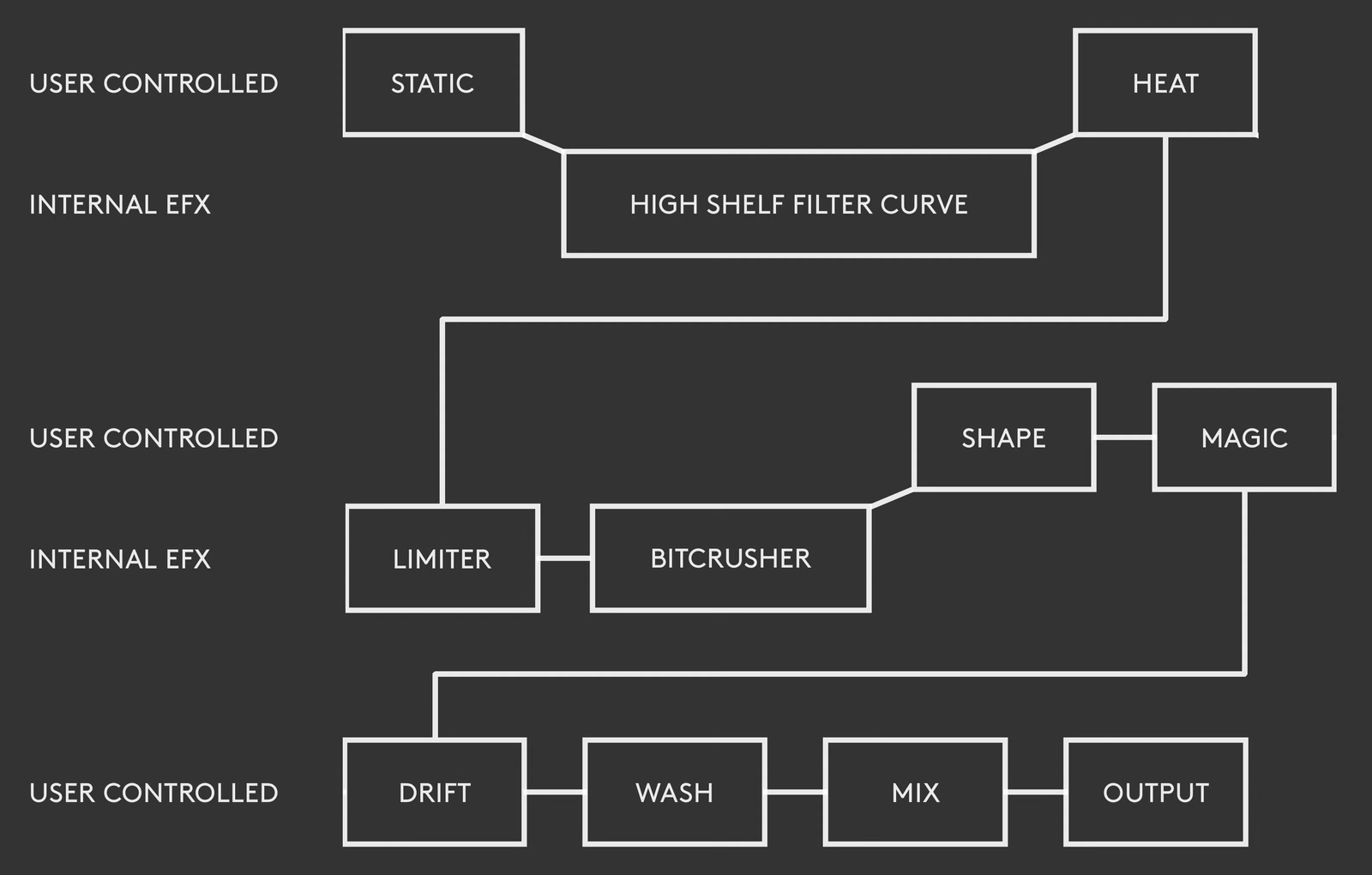
Additionally, the plugin hosts an internal EQ, bit-crusher and limiter. These aren’t user controlled, but they’re part of the signal chain. See Signal Flow below for where each one sits.
The audio passes through Super VHS’s user controls and internal effects in the following order:
Download instructions are emailed to you right after your purchase, however you can always go to www.babyaud.io/account for the latest software updates. After downloading, unzip the file and select either Mac or PC depending on your system.
If you have an active subscription to the Plugin Collection Plan, Super VHS will appear in your Baby Audio Manager app for download.
Make sure your machine is registered, get the software by clicking ‘Download’ and follow the instructions to install.
Activate your software by entering the license key that was provided in your account when you bought Super VHS. Serial keys are entered in the ‘trial mode’ open screen. If you have any problems activating, please email support@babyaud.io.
If you’re running Super VHS in trial mode, please note that the trial will output 5 seconds of silence every 60 seconds. To buy the full version, go to: https://babyaud.io/super-vhs-multi-fx-plugin
Please read our End User License Agreement here: babyaud.io/eula
Have fun using Super VHS! If you run into any issues or have questions along the way, you can always contact us at support@babyaud.io.


.png)