No items in cart
Buy 2 Get 1 Free
Add 3 products to the cart and get the cheapest for free at checkout.
Add 3 products to the cart and get the cheapest for free at checkout.

Parallel compression is an essential technique for creating fatter, more powerful tracks. But it can also be a hassle to set up properly when you’re in the zone.
We made a plugin that does all the hard work for you — with an addictively punchy flavor.
I Heart NY creates a duplicate track of your audio – hosted within the plugin – and lets you spank it hard before mixing it in. Its algorithm is designed to give you the true ‘New York style’ parallel compression sound.
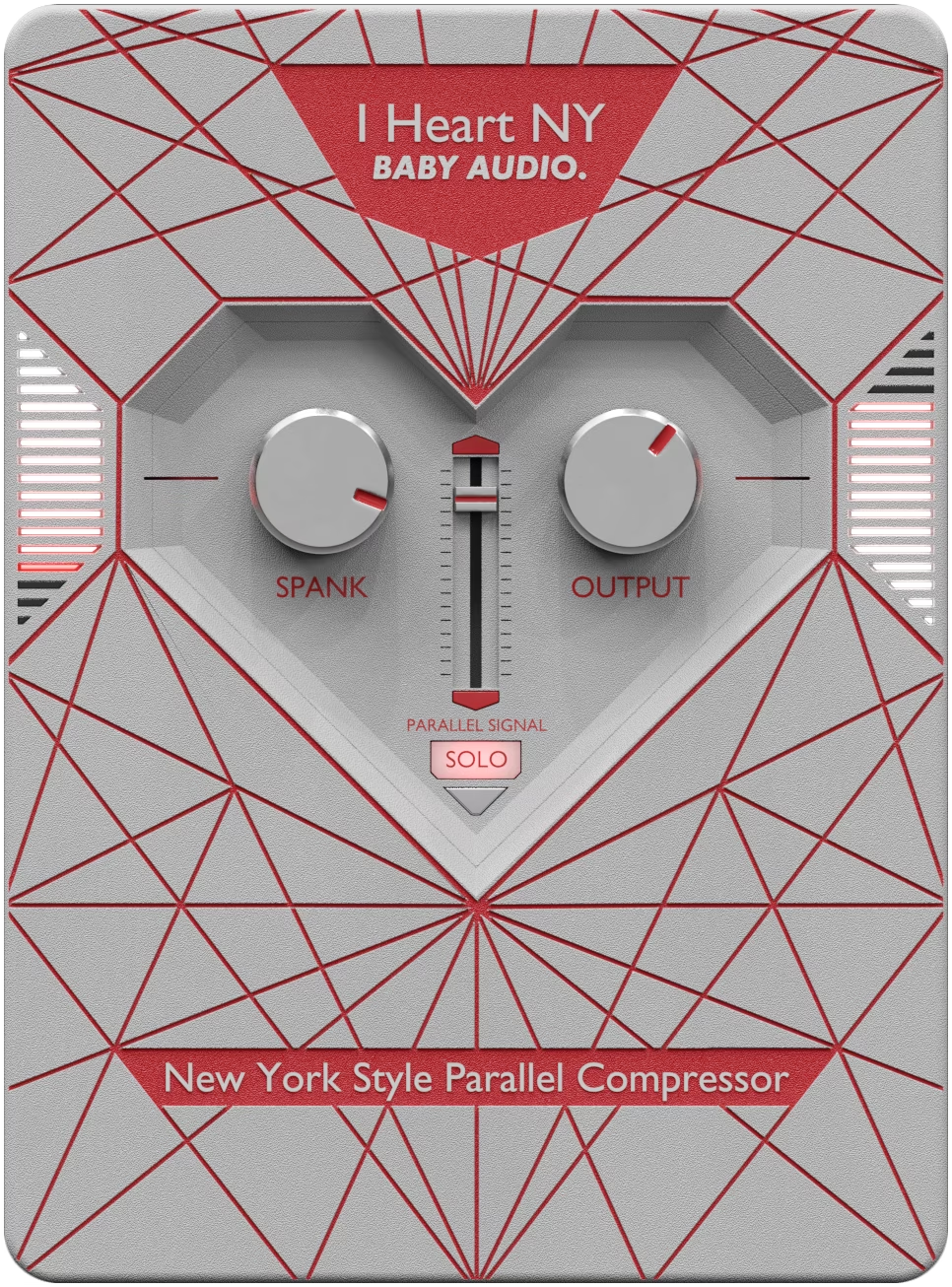
Insert I Heart NY on a drum bus or any track you want to add punch to. Turn up the Spank knob until the left side meter peaks right before the first red indicator, then raise the Parallel Signal fader to blend the compressed signal in with your original audio.
Because you’re mixing two signals together, dial the Output knob down to match the incoming audio level. Come back to the Spank knob to fine-tune the amount of compression if needed.

I Heart NY automatically creates a parallel copy of the incoming audio signal, hosted within the plugin. The Spank compression is added to the parallel signal only. After the compression stage, the fader sets the volume of the parallel signal, allowing you to mix it in with the (unaffected) original audio. Output sets the level of the combined original and parallel signals.
Controls the amount of parallel compression. The level of your signal – along with your creative desires – will determine whether you need to turn this knob up or down. You’ll find that the Spank knob has a wide range – from subtle ‘glue’ compression to ‘out of control’.
The left side meter visualizes the level of Spank (gain reduction) in real time – and, as a rule of thumb, a good initial setting is to have the meter peak right before the first red indicator. From there, you can blend in the parallel signal and come back to tweak the Spank knob later if you need to make adjustments.
Sets the volume of the parallel signal. Note that the level will be perceived relative to the level of your original audio. So for very loud signals, you will need to turn the fader further up to hear the effect, whereas for lower signals, the effect will be more immediate.
The parallel and original signals are mixed together and routed into the Output stage, which allows you to set the global level of your audio output. Note that, because you are mixing two signals together, the Output knob will need to be dialed down if you want to match the incoming audio level.
Engaging the Solo button bypasses the original signal, letting the parallel signal run through the Output on its own. This, effectively, makes the plugin work as a regular insert effect, allowing you to use it like a normal compressor.
Download instructions are emailed to you right after your purchase, however you can always go to www.babyaud.io/account for the latest software updates. After downloading, unzip the file and select either Mac or PC depending on your system.
If you have an active subscription to the Plugin Collection Plan, I Heart NY will appear in your Baby Audio Manager app for download.
Make sure your machine is registered, get the software by clicking ‘Download’ and follow the instructions to install.
Activate your software by entering the license key that was provided in your account when you bought I Heart NY. Serial keys are entered in the ‘trial mode’ open screen. If you have any problems activating, please email support@babyaud.io.
If you’re running I Heart NY in trial mode, please note that the trial will output 5 seconds of silence every 60 seconds. To buy the full version, go to: https://babyaud.io/i-heart-ny-parallel-compression-plugin
Please read our End User License Agreement here: babyaud.io/eula
We hope you’ll have a lot of fun spanking some power into your tracks with I Heart NY! Please reach out to us with any problems or feedback: support@babyaud.io.


.png)